
May the groove be with you

Now make record-ready music on your iPad with hundreds of pro-quality sounds and patterns
SampleTank is the first professional-quality sound and groove module that puts
hundreds of world-class instruments and patterns in your pocket. You can play SampleTank instruments on stage with the
iRig MIDI
interface and a keyboard or pad controller just as you would with a
regular sound or synthesizer module, or you can use the built-in tools
to create inspiring, professional-sounding music on the go.

Be Inspired. Compose. Record. Play Live. All with your iPad.
Got an idea? Grab your iPhone! SampleTank instruments give you
unmatched realism, sound variety and audio performance – a true premier
for the iOS world. For the first time on this platform, hundreds of
professional sample-based sounds and patterns can be easily accessed,
layered and used for playing live. The built-in
4-track MIDI recorder
lets you create beats, grooves, ideas and even complete songs. You can
make music anytime and anywhere the inspiration hits you. SampleTank is
the most compact sound and groove workstation ever made.

"MassiveTank" – Your iPad is now a comprehensive instrument sound library
SampleTank gives you an astounding 16 instrument categories containing
over 500 instruments
that cover virtually every acoustic, electric and electronic sound you
may need. Choose drums, pianos, bass, guitars, synthesizers, strings,
percussion — whatever your sound needs may be, it's there. Plus, each
category includes instrument patterns and grooves, so you can
immediately utilize and experiment with
over 1,000 patterns and grooves. Plus, SampleTank expansion sound packs allow you to pick and choose only the sounds you need, when you need them.

Quadraipadica
Okay, so we made that one up. But it means that you can have up to 4
simultaneous
instrument parts, perfect for playing live. Use them to build a full
rhythmic groove or to layer sounds together for rich creative sounds.
Groovy.
Studioipadica
Again, yes… we made it up. It means that you get the same sound and
performance quality from our mobile app that you'd expect from our
high-end professional studio products. And you do. Lightning-fast sound
loading and near-zero latency makes putting the groove in your pocket an
easy thing to do. So get in the pocket and get SampleTank.
Features:
|
What's New:
|
- 4-part multi-timbral professional quality sound and groove workstation
- Expandable sound library with more than 500 instruments in 16 categories
- Over 1,000 melodic and rhythmic patterns for groove creation or accompaniment
- Included 4-track MIDI recorder with audio export
- Built-in insert effects and master reverb
- Easy-to-use, intuitive interface
- Sound and effects editing with multiple parameters
- Play interface with piano keyboard, scale-based keyboard and drum pads
- Compatible with iPhone 4S, 4 and 3GS, iPod touch 4th and 3rd generation, iPad 2 and iPad with iOS 4.3 and newer
- Designed in concert with iRig MIDI interface for iOS devices
- Free version also available
|
- Universal app for iPad/iPhone/iPod touch
- Built-in 4-track MIDI recorder
- Enhanced drum pads interface
- More instruments included: 136 (132+4 after registering)
- More instruments available via in-app purchase for more than 500 total instruments
- More patterns: now includes more than 1,000 patterns
- Now compatible with every audio dock
|
How it works
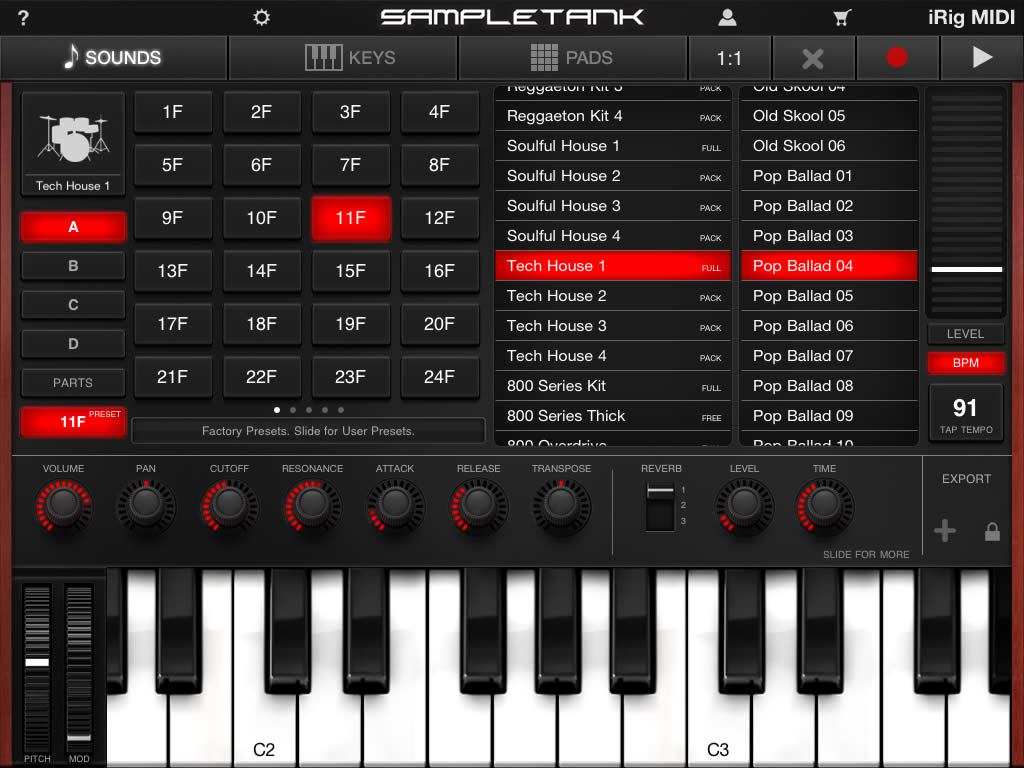
Quickly browse, pick, and load sounds and patterns
The core of SampleTank is the sound library. As soon as you launch
it, you will be presented with the SOUND BROWSER where you can audition
all the included sounds and patterns. Choose an instrument category, and
then select the voicing you want to hear. Here you can also quickly
move within the 16 available categories and their sounds and patterns by
tapping the instrument category icon.
A sound and a pattern are loaded into one of the four available parts
(A, B, C, D) by simply tapping on them. To move between parts, simply
tap the PART button in the SOUNDS browser.
Save your work…
A set of sounds and patterns loaded into the 4 available parts can be
saved into one of the 96 available user presets by accessing the PRESET
pages from the SOUND BROWSER and pressing and holding one of the 96
available slots. You can recall a preset simply by tapping its number.
120 available presets (24 factory and 96 user).
The BPM button in the SOUNDS browser pulls up the tempo slider so you
can change the tempo of the patterns as well as display the large
global play button to control all of the loaded patterns. There is also a
small global play button at the top of every page of the app to
instantly play the included patterns or your own MIDI recordings.
EDIT: Go Ahead, Get Crazy
The EDIT button at the top of the SOUNDS browser will bring up the
EDIT panel where you'll find all kinds of knobs to fine-tune your sound
by adjusting various sound parameters — volume, pan, transpose, attack,
filter, etc, — and you can control the lush effects as well. Want
control over your sound? You got it!
Above the edit knobs, several buttons allow you to activate the
patterns (and the keyboard will show the keys that trigger patterns by
changing to dimmed red), switch between pattern and instrument and
change either one using the up/down arrows. A latch button allows
pattern to repeat on its own or only while you hold down a note.
Finally, the parts button quickly switches between parts right from the
edit page.
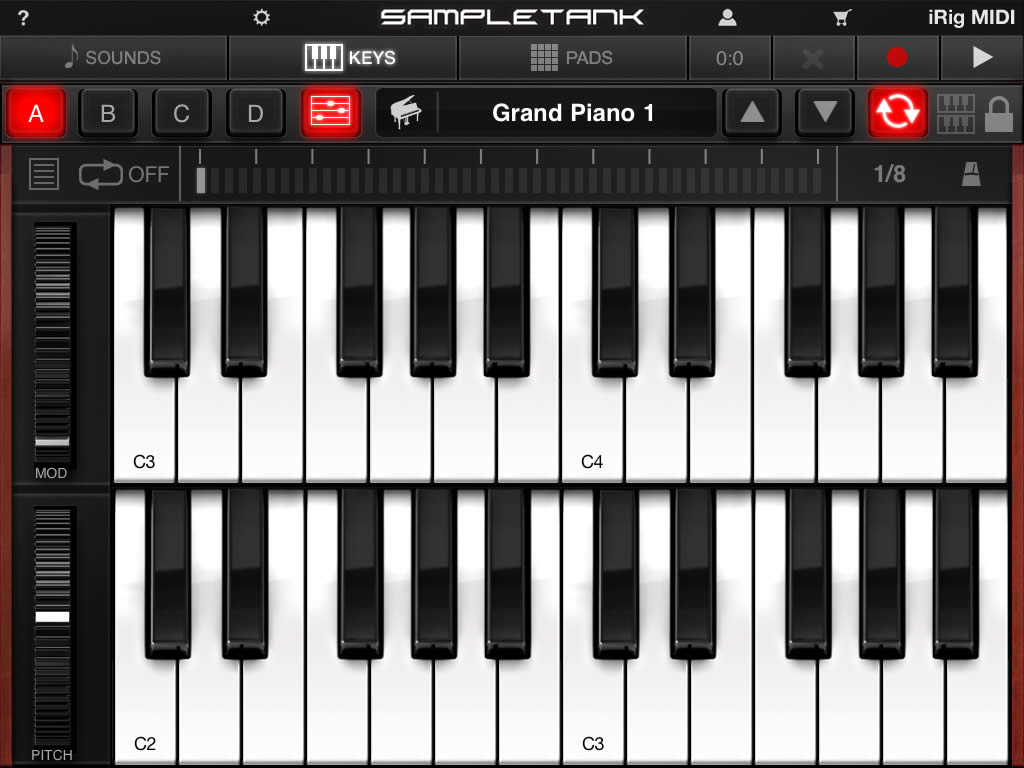
KEYS: Perform on your iOS device
Once you've created the perfect sound, it's time to play. The
SampleTank KEYS page is where you can use most of your iOS device's
touch screen to play SampleTank sounds. Here you have the same controls
at the top for navigating sounds, patterns and parts, but you also get a
dual-row keyboard that can be customized as a "scale keyboard" -
showing only the notes of a specific key/scale.
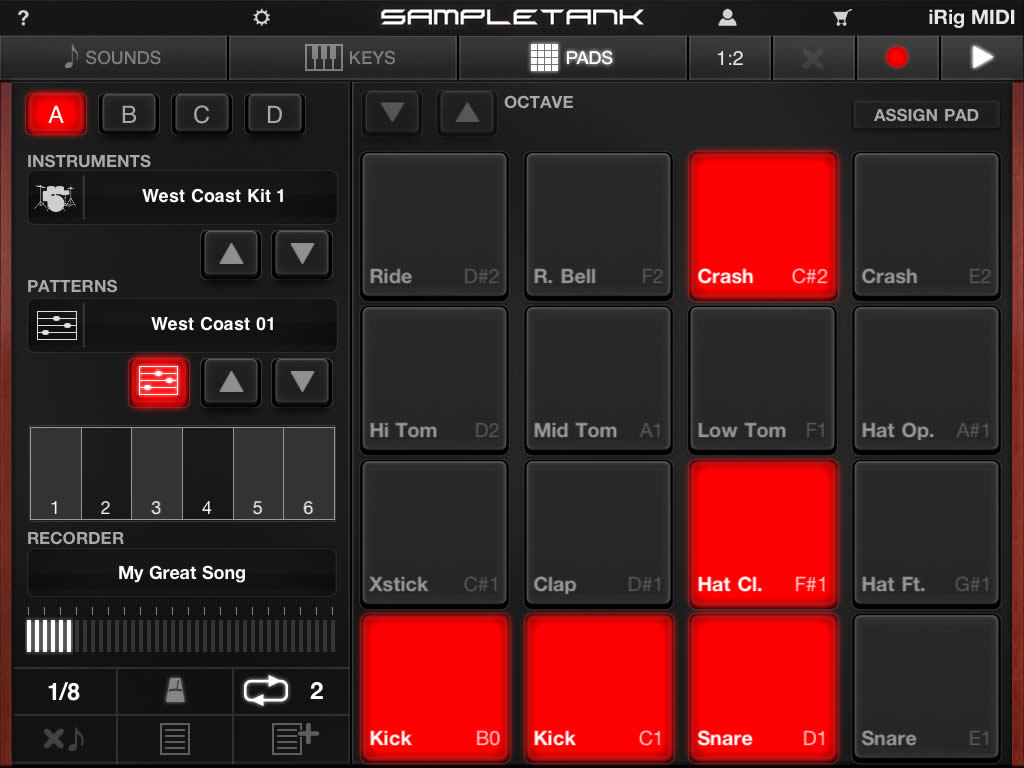
PADS: Build beats and grooves anywhere
SampleTank provides a drum machine-style PADS interface for easy beat
creation. Drums and MIDI notes are assigned to each key in a familiar
pad layout. You can reassign each pad to exactly the drum or note you
want to your own customized beat machine. And the PADS interface isn't
just for drums. Load any instrument on the PADS page and start building
your own groove making powerhouse!
RECORDER: Capture inspiration when it strikes
A 4-track MIDI recorder is included with SampleTank to capture your
ideas the moment you create them. Put a drum kit on one track, a bass on
another, piano on a third and a synth lead on the fourth, and you can
quickly build up a complete MIDI arrangement with handy quantize and
loop controls. Then export your tracks as stereo audio and standard MIDI
files to continue working on them in other apps like AmpliTube or
VocaLive or computer DAWs like Logic and Pro Tools.
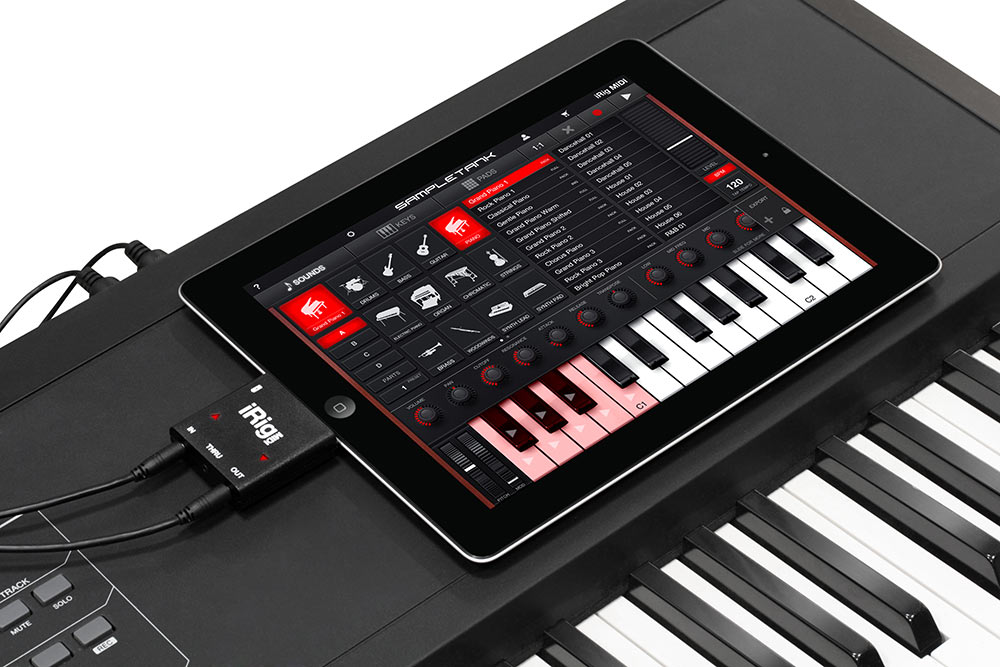
Two ways to play
You can use the iOS touchscreen to play your sounds, or use the new
iRig MIDI to connect your keyboard or other MIDI device to your
iPhone/iPod Touch and take full advantage of SampleTank for your live
performances.
How we did it
You've heard it before…
SampleTank for the iPad is based on the same SampleTank Mac/PC audio
engine you'll find being used in professional recording studios around
the world. It offers a "greatest hits" selection of sounds from our
flagship products such as SampleTank XL, Miroslav Philharmonik,
SampleMoog and SampleTron. Plus you get brand new sounds specifically
designed for the next generation of our virtual instruments and
optimized for the best performance from your iOS device.
You have heard these sounds on countless records and productions by
world-class artists and producers, and now you can have them in your
pocket on your iOS device.








 賽場啦啦隊員頻洩春光是美麗還是爭議
 [imghttp://img1.27.cn/images/201107/21/1311220076_19648800.jpg][/img]


 自戀的小妞在家自拍